A Shopify wishlist pays off only when it brings shoppers back. See how wishlists work on Shopify, which apps send reminders, and how to add one in PageFly.
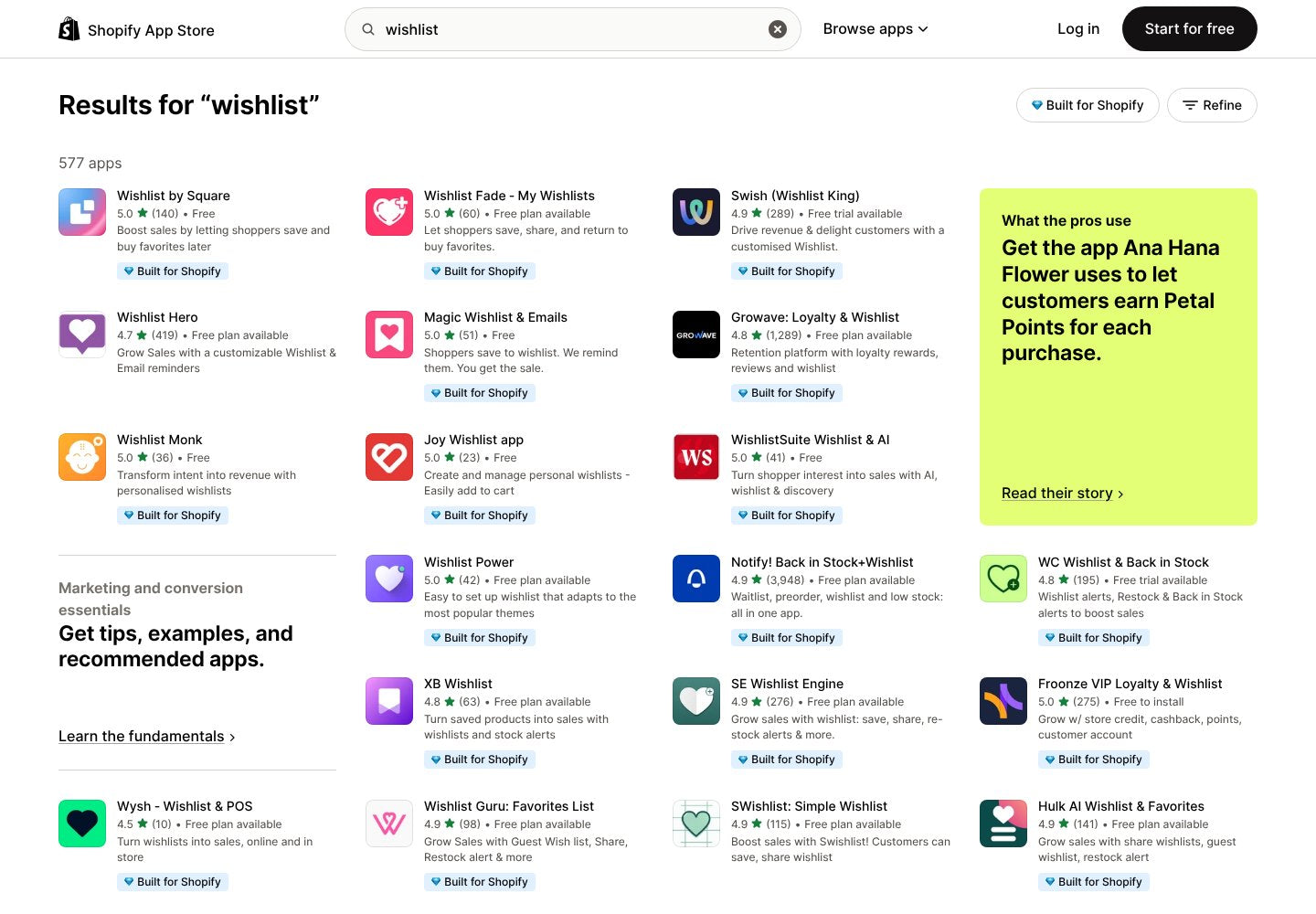
Search “wishlist” in the Shopify App Store today and you get 577 apps. We ran that search on October 27, 2026, and the first page of results alone lists at least 22 apps rated 4.5 stars or higher, most of them free to start. Picking a heart button is not the hard part.
The hard part is what happens after the click. A saved product that nobody follows up on is a bookmark the shopper forgets. A saved product that triggers a price-drop or back-in-stock email is a second chance at the sale. That is the difference this guide is about: a wishlist is a reminder system, not a heart icon.
Key takeaways
- Shopify has no built-in storefront wishlist. You add one with an app; the Shop app's own favorites list lives inside Shop, not on your store.
- Judge apps by what happens after the save: guest saving, a wishlist page, and reminder emails for price drops or restocks.
- Guest lists are fragile. In the demo we tested, a guest save came with a prompt to log in to keep it.
- Reminders usually sit on a paid plan. Free plans cap saves per month; on the 6 apps we checked, plans with email alerts ran from $4 to $199 a month.
- PageFly pages can carry the button too. Growave documents a PageFly widget, and PageFly's integrations directory lists a wishlist app.
On this page
- What is a Shopify wishlist?
- Why a wishlist is a reminder system, not a heart icon
- How to test a wishlist app before you install it
- Compare Shopify wishlist apps by what they do after the save
- Add a wishlist button to pages built with PageFly
- Common Shopify wishlist mistakes
What is a Shopify wishlist?
A Shopify wishlist is a list of products a shopper saves on your store to come back to later, usually by clicking a heart or “Add to Wishlist” button on a product or collection page. The list sits on a wishlist page, and the better apps also email the shopper when a saved item drops in price or comes back in stock.
Shopify does not add this to your storefront by default. In a Shopify developer community thread from December 2025, developers answering the question point to an app, and the App Store keeps a whole Wishlists category for it. Shoppers who use the Shop app can also save products and follow stores there, but that list belongs to Shop, not to your storefront.
This matters because a wishlist is one of the few signals of intent you get from a shopper who is not ready to buy. They told you what they want. What you do with that is the whole value of the feature.
Why a wishlist is a reminder system, not a heart icon
Most app listings sell the button. The merchants who stay with an app talk about what the button triggers. Circle Of Hope Boutique, a US store, wrote in its August 2026 review of Swish: “The most valuable part of this app is the email automations.” The same review notes that the back end shows how often each item was wishlisted.
So treat the wishlist as 3 parts, and check all 3 before you install anything:
- The save. A button on the product page and, ideally, on the collection page, so shoppers can save without opening every product.
- The memory. Where the list lives. A guest list kept in one browser disappears when the shopper switches devices; a list tied to a customer account survives.
- The nudge. Price-drop, low-stock or back-in-stock emails that bring the shopper back. This is the part that turns a saved product into an order, the same way abandoned cart emails do for carts.
Wishlist data is also merchandising data, and 4 of the 6 apps in the table below mention a Klaviyo connection for email flows. A product that gets saved often but rarely bought is telling you something about its price, its photos or its stock. Add it to your Shopify analytics routine next to cart, checkout and conversion rate numbers.
How to test a wishlist app before you install it
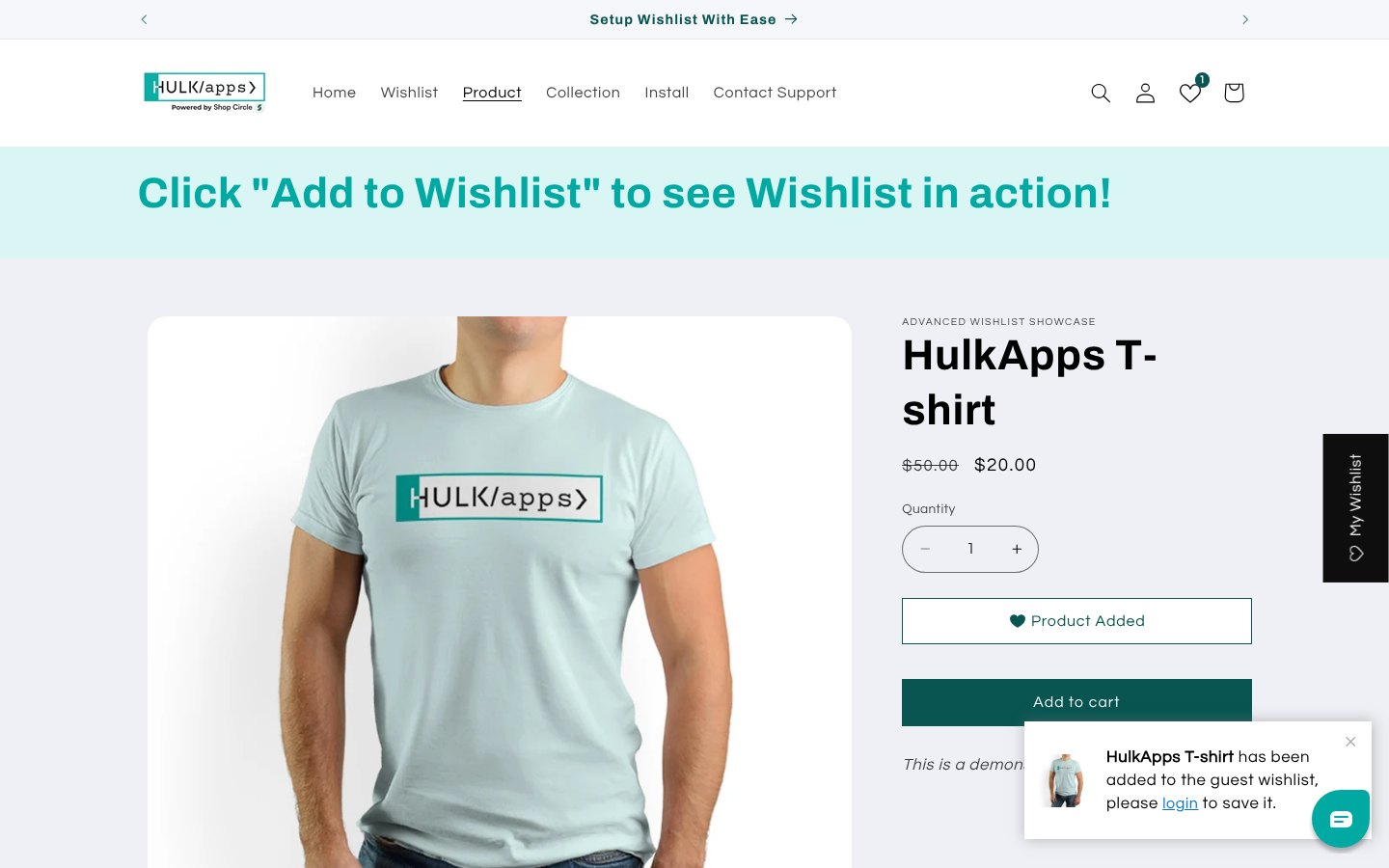
Most wishlist listings link to a demo store. Ten minutes there tells you more than the feature list, and it shows you the button on a real product page layout. We ran this test on the demo store of Hulk AI Wishlist & Favorites, one of the apps that lists PageFly under “Works with” on its App Store page.
- Open the demo as a guest. Use a private window so you are not logged in, then open any product page.
- Save a product. Click the wishlist button and watch what the store tells you.
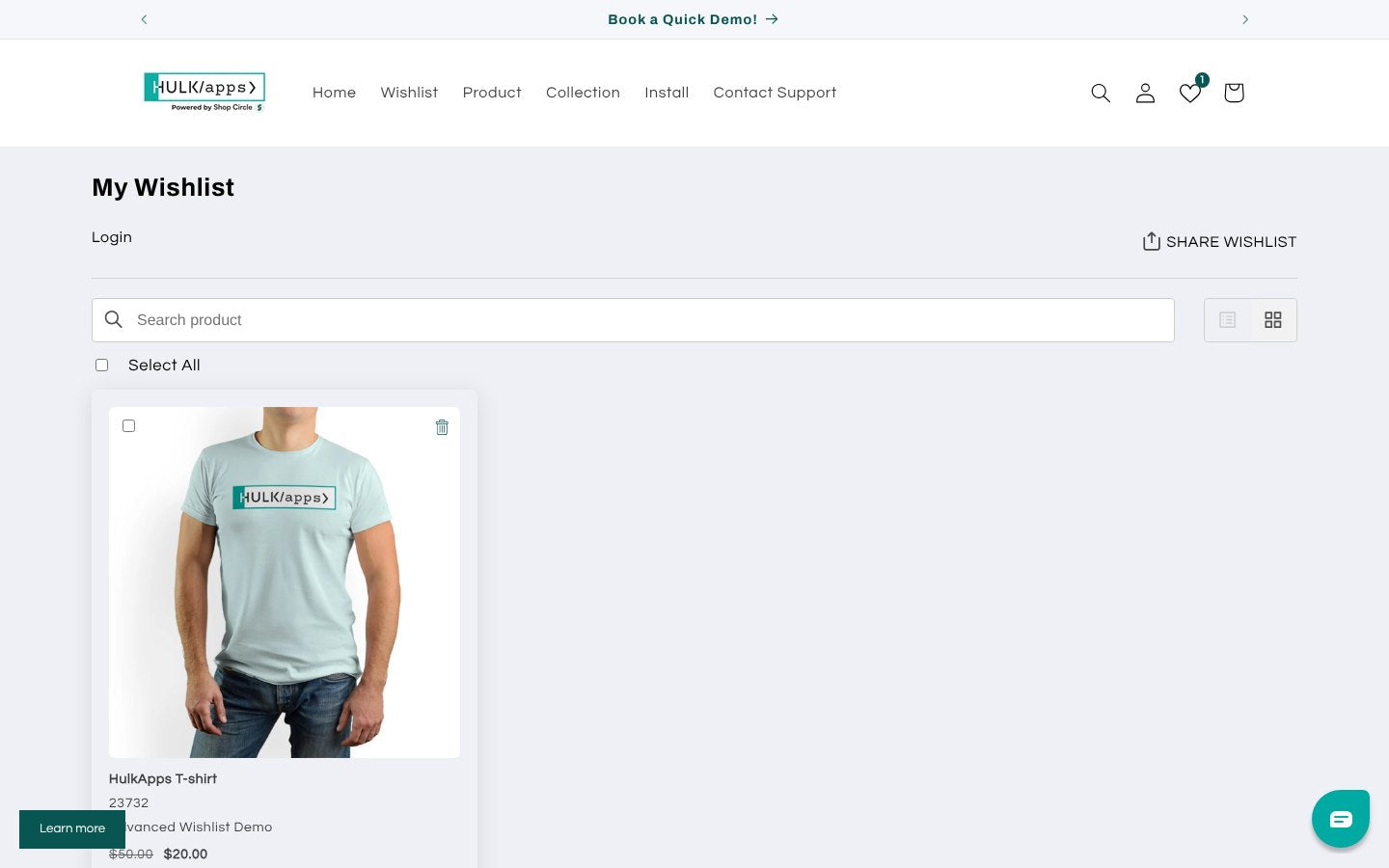
- Open the wishlist page. Check that the item is there with its price, variant and a way to move it to the cart.
- Look for sharing. A share button matters for gifting season, when shoppers send lists to family.
- Read the plan that includes reminders. Note which plan turns on price-drop or back-in-stock emails, and the monthly cap on saved items.
The pop-up in step 2 is the detail to remember. A guest wishlist is only as durable as the shopper's browser, so the app's job is to turn that guest into an account or an email address. If your store has accounts switched off, pick an app that says it works without customer accounts, such as Wishlist by Square, and plan your reminders around email capture instead.
Compare Shopify wishlist apps by what they do after the save
We read the App Store listings of 6 widely used wishlist apps on October 27, 2026. Ratings, prices and plan limits change, so check the listing before you install.
| App | Rating (reviews) | Free plan | Reminder emails on the listing | PageFly in “Works with” |
|---|---|---|---|---|
| Wishlist by Square | 5.0 (140) | Free app; works without customer accounts | Not listed | No |
| Wishlist Hero | 4.7 (419) | Up to 500 wishlist additions a month | Low-stock and on-sale reminders from the $4 Silver plan | No |
| Wishlist ‑ Wishify | 4.9 (218) | Up to 100 wishlist items a month | Automatic reminder emails on the $29.99 Advanced plan | No, but listed in PageFly's integrations directory |
| Hulk AI Wishlist & Favorites | 4.9 (141) | 500 wishlist items a month, guest wishlist | Price-drop and back-in-stock alerts from the $9.90 Growth plan | Yes |
| Growave: Loyalty & Wishlist | 4.8 (1,289) | Wishlist, loyalty and reviews up to 200 orders a month | Price-drop and back-in-stock alerts listed; back-in-stock emails on the $199 Growth plan | Yes |
| Swish (Wishlist King) | 4.9 (289) | No; 30-day free trial, from $19 a month | Automated wishlist notifications on all plans | No |
3 things stood out when we read the listings:
- Caps decide the real price. Free plans count saves or items per month. A store running a Black Friday homepage takeover can hit a 100-item cap in a day.
- Some apps are bigger than a wishlist. Growave and Notify! Back in Stock + Wishlist bundle wishlists with loyalty or restock alerts. That can replace 2 apps, which helps page speed as much as your budget.
- Apps disappear. Swym Wishlist Plus, which PageFly integrated in its 3.10 release, now shows “This app is not currently available on the Shopify App Store” on its listing. Export your wishlist data regularly if the app allows it.
If you are still choosing the rest of your stack, our list of Shopify apps for online stores covers the categories most stores install first.
Add a wishlist button to pages built with PageFly
If your product pages are built with PageFly, the wishlist button has to work inside those pages too, not only in your theme. Start with PageFly's integrations directory: filter by the Wishlists category to see which wishlist app PageFly lists.
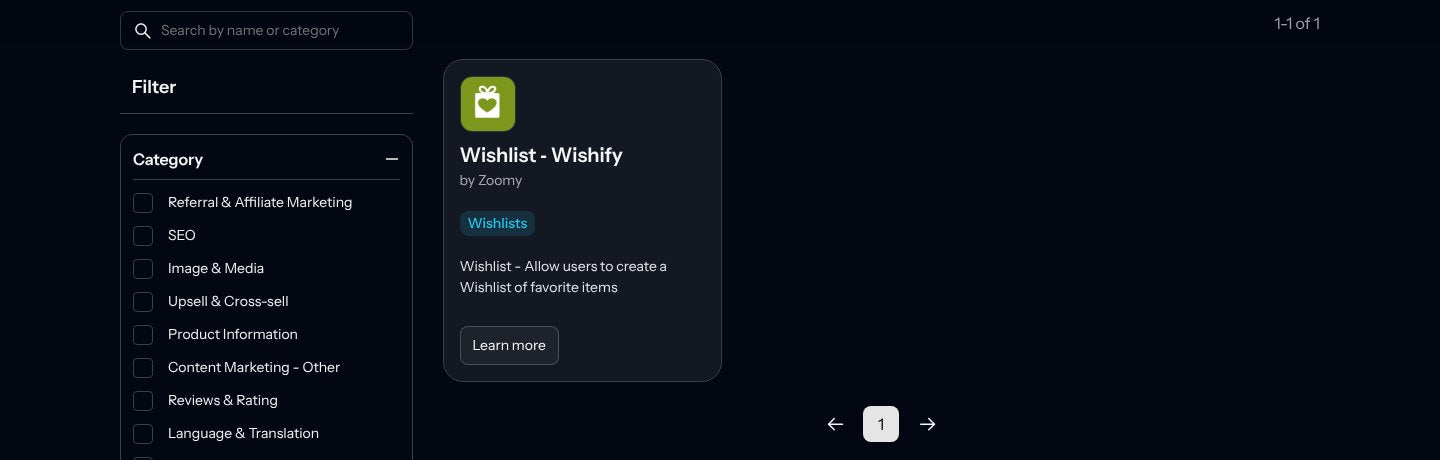
The directory is not the only source. Several wishlist apps list PageFly on their own App Store page under “Works with”: Growave, Hulk AI Wishlist & Favorites and Notify! Back in Stock + Wishlist did on the day we checked.
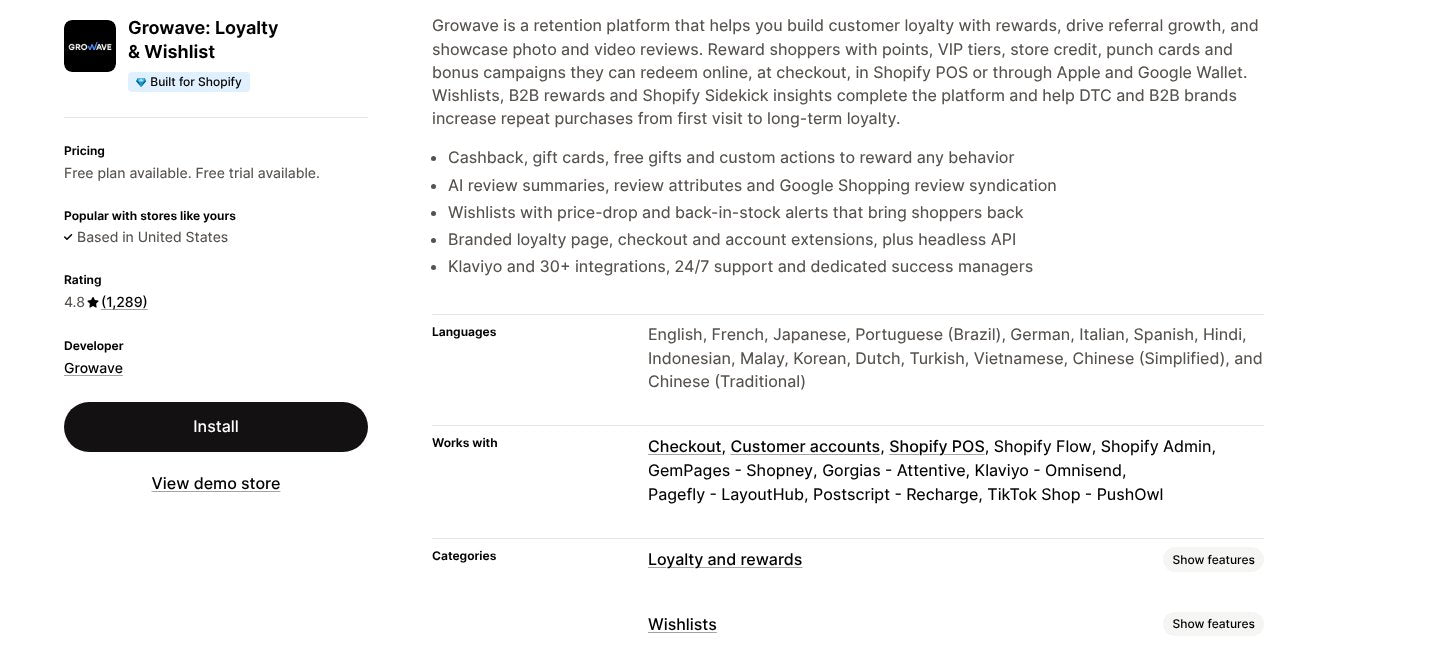
Growave's own PageFly setup guide (May 2025) describes the steps:
- Activate the integration. In PageFly, open the integrations area, find Growave and click Activate.
- Open a product page. Create one from a Product template or open the product page you already built.
- Drag in the widget. Open Third-party elements, choose Growave and drag the Add to wishlist widget onto the page.
- Save and publish. Then open the live page and click the button once as a guest.
Growave notes that the Add to wishlist widget must sit on a product page, can be used only once per page, and goes outside the Product details element. If your app is not in either list, ask its developer whether the button works on page-builder pages before you install it.
Once the button is in place, the page around it still does the selling. PageFly's page templates give you product layouts to start from, and its CRO tools include A/B tests, so you can check whether a more visible wishlist button changes add-to-cart clicks.
Our Shopify A/B testing guide explains how long to run that test and how to read the result.
Common Shopify wishlist mistakes
- Installing the button and skipping the reminders. Without a nudge, a wishlist is a bookmark. Turn on at least one alert: price drop or back in stock.
- Hiding the button. Put it near Add to cart, where shoppers already look, and add a heart to the product cards on your collection page design. A heart buried under the description gets few clicks.
- Forgetting gifting season. Shared wishlists matter most in November and December. Make the share button visible on the pages you build for your Black Friday Cyber Monday campaign.
- Ignoring stock. If saved items sell out, a back-in-stock alert or pre-orders keep that demand instead of losing it.
- Never reading the data. Wishlist counts belong in your monthly review: saved often but bought rarely means the page or the price needs work.
A wishlist is cheap to add and easy to forget. Set up the save, the memory and the nudge on day one, the same way you would plan repeat customer flows, and check the numbers after your next sale. To see what plan you need for building the pages around it, PageFly's pricing page compares the free and paid plans.
Shopify Wishlist FAQ
No. Shopify does not add a wishlist to your storefront by default, so merchants install a wishlist app. Shoppers using the Shop app can save products there, but that list lives inside Shop, not on your store.
It depends on your traffic. Wishlist by Square is free and works without customer accounts, while Wishlist Hero and Hulk AI Wishlist & Favorites offer free plans capped at 500 saves or items a month. Check each cap against your busiest month before you choose.
Many apps support guest wishlists, but a guest list can be tied to the shopper's browser. In the demo we tested, a guest save came with a prompt to log in to keep the list, so plan to capture an account or email.
Through reminders. Price-drop, low-stock and back-in-stock emails bring shoppers back to products they already chose, which is why reminders matter more than the button itself.
Yes, with a supported app. Growave documents an Add to wishlist widget under PageFly's third-party elements, PageFly's integrations directory lists Wishlist ‑ Wishify, and Hulk AI Wishlist & Favorites lists PageFly under Works with.